
Features Overview
The RTD Trip Planner is a valuable tool that helps users plan their public transportation routes efficiently. By entering their starting point and destination, users can access detailed information on bus and train schedules, routes, and connections to reach their destination.
Main Functions of RTD Trip Planner
- Provides real-time information on bus and train schedules.
- Offers multiple route options to choose from for the most convenient travel.
- Displays walking directions to and from transit stops for seamless connections.
- Allows users to save favorite routes for quick access in the future.
Key Features of RTD Trip Planner
- Customizable Route Planning: Users can input specific preferences such as fewer transfers or shorter walking distances to tailor their route accordingly.
- Live Updates: The Trip Planner offers real-time updates on delays, detours, and service disruptions to keep users informed and prepared for any changes.
- Accessibility Options: The tool includes features for users with mobility challenges, such as wheelchair-accessible routes and audio announcements on buses and trains.
Enhancing Public Transportation Experience
The RTD Trip Planner enhances the public transportation experience by providing a user-friendly platform for planning efficient and reliable routes. With its comprehensive features and real-time updates, users can navigate the transit system with ease, saving time and minimizing the stress often associated with public transportation.
By empowering users with accurate information and personalized route options, the RTD Trip Planner promotes the use of public transportation as a convenient and sustainable mode of travel.
Hidden Gems
While you may be familiar with the basic features of the RTD Trip Planner, there are some hidden gems that can enhance your trip planning experience. These lesser-known features can help you make more efficient and convenient travel arrangements.
Customizable Preferences
One of the hidden gems of the RTD Trip Planner is the ability to customize your preferences. You can set specific criteria such as preferred modes of transportation, walking distance, and departure/arrival times. By adjusting these settings, you can tailor your trip itinerary to suit your individual needs and preferences.
Real-Time Alerts
Another valuable feature is the real-time alerts option. This feature provides updates on delays, cancellations, and service disruptions, allowing you to adjust your travel plans accordingly. By staying informed about any changes or issues affecting your route, you can avoid potential inconveniences and plan your journey more effectively.
Multi-Destination Planning
The RTD Trip Planner also offers a multi-destination planning feature that allows you to input multiple stops along your route. This can be especially useful for complex or multi-leg journeys, such as running errands or visiting multiple locations in a day.
By optimizing your travel route and including all necessary stops, you can save time and streamline your itinerary.
Customization Options
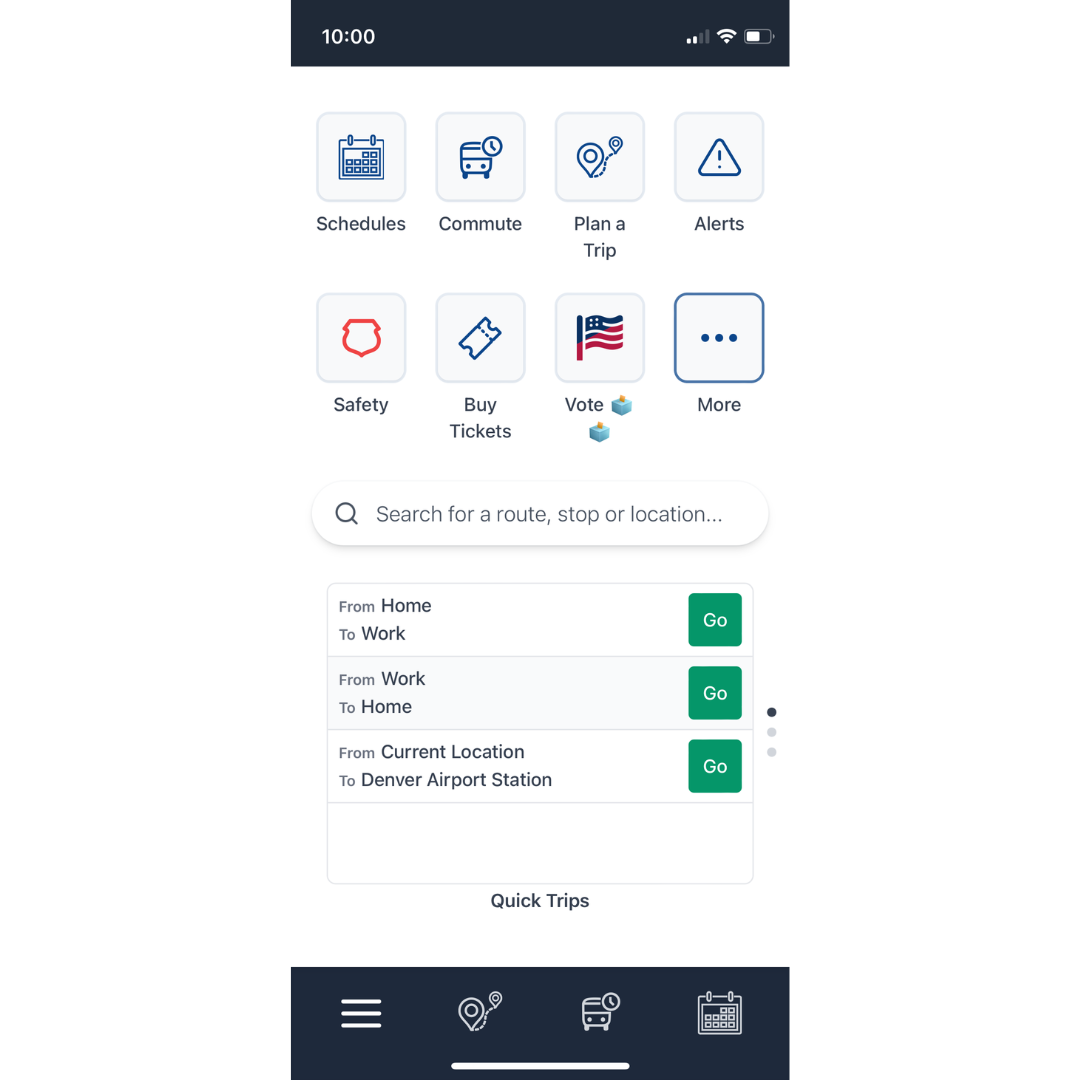
Customization options within the RTD Trip Planner allow users to tailor their travel preferences for a more personalized experience. By adjusting various settings, users can optimize their trips based on individual needs and preferences.
Preferences Adjustment
Users can customize their trips by adjusting preferences such as mode of transportation, walking distance, departure or arrival times, and route options. For example, users can choose to prioritize fewer transfers, shorter walking distances, or faster routes based on their preferences.
These customization options help users create a travel plan that aligns with their specific needs and priorities.
Save Favorite Locations
Another customization feature is the ability to save favorite locations within the trip planner. Users can save frequently visited places such as home, work, or other destinations for quick and easy trip planning. This feature streamlines the planning process and allows users to access their favorite locations with just a few clicks.
Accessibility Options
RTD Trip Planner also offers accessibility options for users with specific needs, such as wheelchair-accessible routes or accommodations for individuals with mobility challenges. By customizing accessibility settings, users can ensure that their travel plans align with their unique requirements, making the journey more comfortable and convenient.
Importance of Customization
Customization is essential for a personalized travel experience as it allows users to tailor their trips based on individual preferences and requirements. By utilizing customization options, users can create a travel plan that suits their needs, whether it's prioritizing efficiency, comfort, accessibility, or other factors.
This level of customization enhances the overall travel experience and ensures that users can navigate their journeys smoothly and efficiently.
Integration and Compatibility
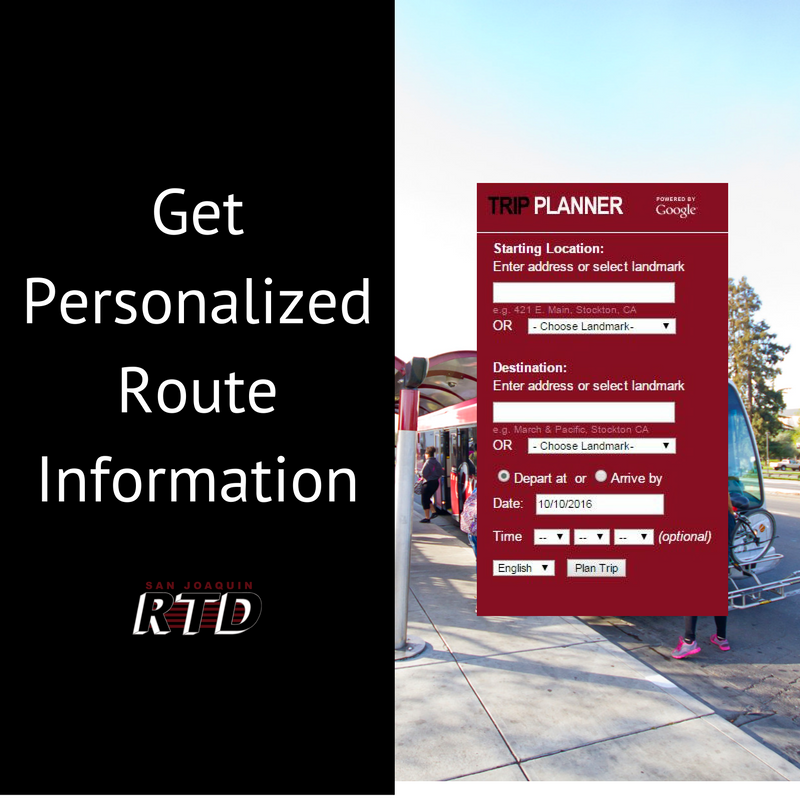
When it comes to the RTD Trip Planner, integration and compatibility play a crucial role in enhancing the overall user experience. Let's delve into how this tool seamlessly works with other platforms and devices.
Integration with Other Platforms
One of the key features of the RTD Trip Planner is its ability to integrate with various platforms, making it easier for users to access their travel information. Some notable integrations include:
- Google Maps: By syncing with Google Maps, users can seamlessly plan their trips and access real-time transportation information.
- Transit Apps: The RTD Trip Planner can be linked with popular transit apps, allowing users to combine different modes of transportation for a more efficient journey.
- Ride-Sharing Services: Integration with ride-sharing services enables users to seamlessly switch between public transport and private rides, providing a holistic travel experience.
Device Compatibility
The RTD Trip Planner is designed to be compatible with a wide range of devices, ensuring that users can access their travel information anytime, anywhere. Here are some devices that support the RTD Trip Planner:
- Smartphones: Whether you have an iPhone or an Android device, the RTD Trip Planner app is available for download, allowing you to plan your trips on the go.
- Tablets: The RTD Trip Planner website is optimized for tablet use, providing a seamless planning experience on larger screens.
- Computers: Accessing the RTD Trip Planner on your desktop or laptop allows for detailed trip planning with a full view of maps and transit options.
By ensuring compatibility with various platforms and devices, the RTD Trip Planner enhances the overall user experience, making it easier for travelers to navigate their journeys efficiently.
FAQ Overview
What are the main functions of the RTD Trip Planner?
The RTD Trip Planner helps users plan their journey using public transportation, providing routes, schedules, and options for efficient travel.
How can users benefit from the hidden gems of the RTD Trip Planner?
By exploring lesser-known features, users can optimize their trip planning, saving time and enhancing their overall travel experience.
What customization options are available in the RTD Trip Planner?
Users can tailor their trip preferences by adjusting settings for route options, transportation modes, and specific travel needs.
Is the RTD Trip Planner compatible with various devices?
Yes, the RTD Trip Planner is designed to work seamlessly across different platforms and devices for user convenience.